Classic BlackBerry Keyboards Compared: Q10 vs Q20 vs 9900 and Modern BBKeyboard Choices

Why classic BlackBerry layouts still matter

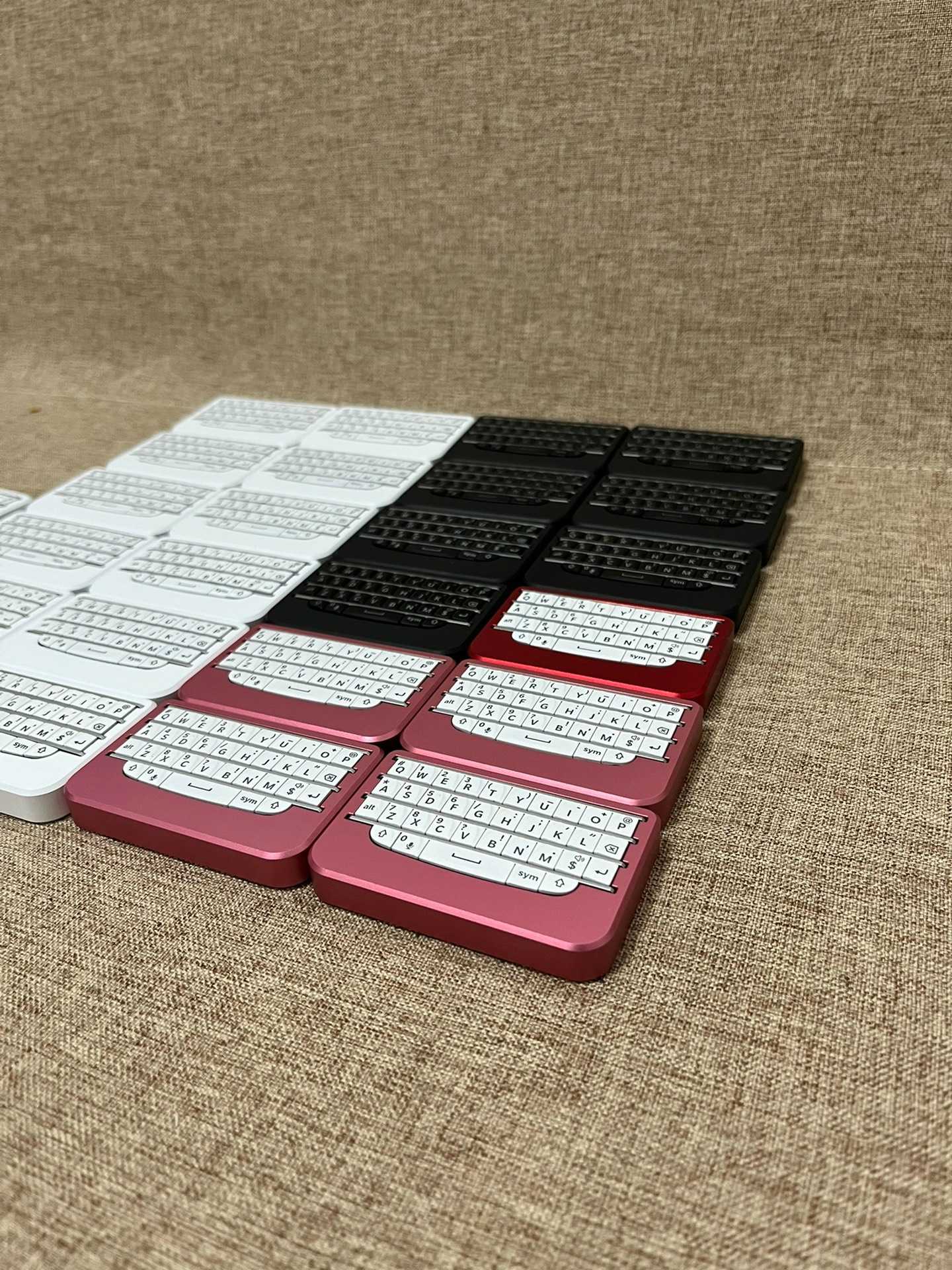
Classic BlackBerry keyboards are remembered because they made mobile typing feel precise. Q10, Q20, and 9900 each represent a slightly different idea of physical mobile input. Modern BBKeyboard models borrow from that memory but turn it into standalone keyboards for current phones, tablets, and computers.

Quick comparison

Classic reference Typing idea Modern BBKeyboard direction
Q10 Compact, direct thumb typing BBQ10KBD
Q20 Fuller productivity layout and navigation feel BBQ20KBD
9900 Premium classic Bold-era feel Compare with P9981-style premium models
P9981 Premium design identity BBP9981KBD Lite and BBP9981KBD Pro

Q10: compact and focused

The Q10 idea is about compact physical typing. It is small, direct, and easy to understand. In the current BBKeyboard lineup, BBQ10KBD is the natural match. It is best for buyers who want a simple BlackBerry-style typing accessory for notes, messages, and short mobile writing sessions.

Q20: fuller and more productive

The Q20 idea adds more of the classic productivity feel. In the current lineup, BBQ20KBD is the stronger daily work model because it adds Bluetooth and USB-C dual mode, backlight, navigation control, and multi-device support. It is the better match for people who want one tiny keyboard across phone, tablet, and laptop workflows.

9900: why people still mention it

The BlackBerry 9900 is often remembered for premium feel and fast typing. BBKeyboard does not need to recreate the old phone exactly to serve that desire. The modern question is: do you want compact Q10-like typing, fuller Q20-like productivity, or a more premium object? If the premium object is the point, compare the P9981-style BBKeyboard models.

P9981: premium design path

The P9981 reference is about design identity and materials as much as typing. BBP9981KBD Lite is the cleaner keyboard-only option. BBP9981KBD Pro adds pointer control, adjustable DPI, live remapping, and a more complete tiny input device role.

Which classic layout should guide your purchase?

  • Choose the Q10 path if you want the smallest classic thumb-typing experience.
  • Choose the Q20 path if you want the most practical modern productivity setup.
  • Choose the P9981 path if premium material and visual identity matter.
  • Use the 9900 memory as a feel reference, not as a direct product map.

Modern features the classics did not have

Modern BBKeyboard models can add Bluetooth, USB-C, backlight, remapping, multi-device switching, n-key rollover, and touchpad control depending on the model. That changes the buying question. You are not only choosing which classic BlackBerry keyboard you remember. You are choosing which modern input workflow you want.

Recommended model map

Start with the Q10 vs Q20 vs P9981 guide if you want a layout-first decision. Read the buyer guide for price and feature recommendations. If you want the safest all-round choice, compare BBQ20KBD first. If you want the smallest option, compare BBQ10KBD. If you want premium feel, compare Lite and Pro.

FAQ

Is Q10 or Q20 better?

Q10 is better for compact simplicity. Q20 is better for fuller daily productivity.

Is there a modern 9900-style choice?

The 9900 is best treated as a premium feel reference. For current BBKeyboard choices, compare the Q20 and P9981-style models.

Which model should most people start with?

Most people should start by comparing BBQ20KBD because it balances layout, backlight, USB-C mode, and multi-device use.

Classic feel vs modern workflow

Classic BlackBerry memories are useful only when they lead to a modern workflow. A buyer may remember the Q10, Q20, 9900, or P9981, but the current decision is different: which external keyboard should work with modern devices today? That means Bluetooth, USB-C, backlight, remapping, device switching, and product support matter alongside nostalgia.

Choosing by hand feel

If you want the smallest feel, start with the Q10 path and BBQ10KBD. If you want more of a productivity feel, start with the Q20 path and BBQ20KBD. If you want a premium visual identity, start with the P9981 path and compare BBP9981KBD Lite with BBP9981KBD Pro.

Choosing by device workflow

Workflow Classic memory Modern recommendation
Phone notes and messages Q10 BBQ10KBD
Travel email and tablet work Q20 BBQ20KBD
Premium desk accessory 9900 / P9981 Lite or Pro
Keyboard plus pointer Modern need BBP9981KBD Pro

Why Q20 is often the safest modern answer

Q20-style thinking maps well to modern productivity because it is less minimal than Q10 but still compact. BBQ20KBD adds practical details such as dual-mode connection, backlight, navigation behavior, and multiple Bluetooth devices. Those features make it easier to recommend for buyers who want a real tool, not only a classic feeling.

Where this article fits in the content cluster

This article should capture classic BlackBerry comparison searches and route them to modern product choices. It should not compete with the main Q10 vs Q20 vs P9981 guide. Instead, it adds historical context and then sends buyers to the model comparison, buyer guide, and product pages.

Deeper comparison by classic reference

Q10 as a modern accessory idea

The Q10 reference is strongest when the buyer wants compactness. It is not about recreating an old phone exactly. It is about keeping the small tactile keyboard idea and making it usable with modern phones and tablets. That is why BBQ10KBD is the cleanest match for users who value carry size and simple thumb typing.

Q20 as a modern productivity idea

The Q20 reference is stronger for users who want a more complete tool. The extra navigation feel, fuller layout, backlight direction, and multi-device work make the Q20 path more practical for travel, email, and tablet use. That is why BBQ20KBD should be the default recommendation for many modern buyers.

9900 as a premium memory

The 9900 is remembered for feel, speed, and premium presence. But a modern buyer should translate that memory into a current feature question: do you want premium materials, a compact object, or a richer control surface? If yes, the P9981-style models are more relevant than trying to recreate the old 9900 directly.

How to use this comparison

  1. Use the classic model name to identify the typing feel you miss.
  2. Map that feeling to a modern BBKeyboard model.
  3. Check the buyer guide for price and feature trade-offs.
  4. Check the setup guide before using the keyboard with a specific phone, tablet, or computer.

Final buyer note

Classic BlackBerry keyboard comparisons are useful when they help the buyer choose. They are less useful when they become nostalgia lists. This page should keep sending readers toward modern product decisions: BBQ10KBD for compact typing, BBQ20KBD for practical productivity, and P9981 models for premium feel or pointer control.

Why the 9900 still matters indirectly

The 9900 matters because it reminds buyers that keyboard feel is emotional as well as functional. People remember travel, click, confidence, and speed. A modern BBKeyboard page should respect that memory while still moving the buyer toward a current product. The right modern answer may be Q10 compactness, Q20 practicality, or P9981 premium feel rather than a literal 9900 clone.

This is also why internal links matter. A historical comparison should not end with history. It should connect to the current model comparison, the buyer guide, and the shop.

The modern BBKeyboard catalog gives those memories a practical path forward. It lets a buyer choose compact Q10-style typing, fuller Q20-style control, or premium P9981-style hardware without going back to an outdated phone platform. That is the commercial purpose of this page: translate classic keyboard intent into current product decisions.

Leave a Reply