Blog
From BlackBerry to Bluetooth: A Brief History of Thumb Typing
Oct
The Evolution of Thumb Typing: From BlackBerry to Bluetooth
The Rise of the Compact QWERTY Keyboard
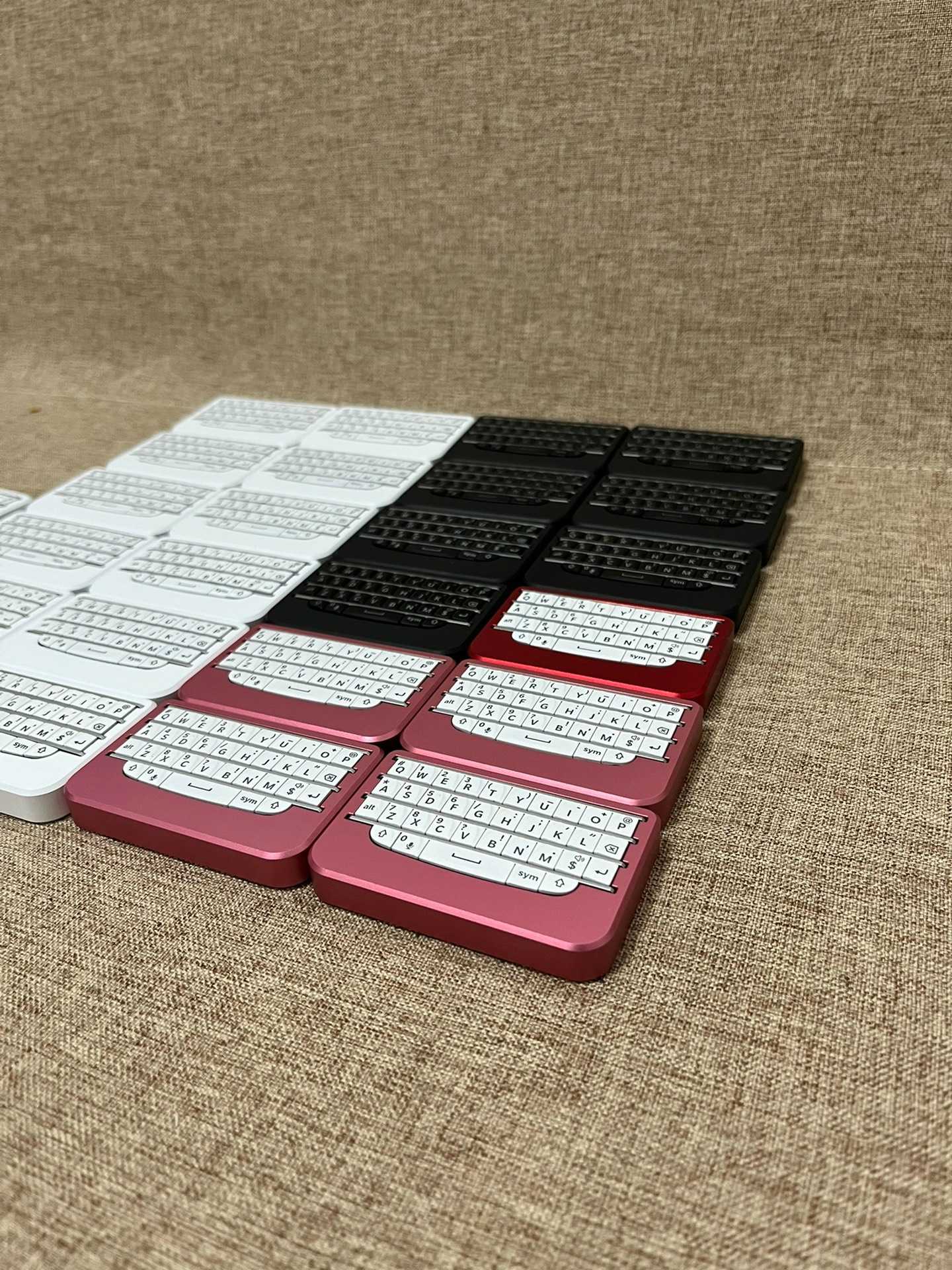
In the early 2000s, BlackBerry emerged as a game-changer in mobile communication, revolutionizing how users interacted with their devices. its compact QWERTY keyboard became synonymous with thumb typing, allowing users to send messages and emails with remarkable speed and efficiency.this innovation not only catered to business professionals but also laid the groundwork for future smartphone designs.
Key Technological Innovations Behind Thumb Typing
dome Switches: A Game-Changer in User Experience
At the heart of BlackBerry’s success was its use of dome switches. These tactile buttons provided a satisfying feedback mechanism that enhanced typing accuracy and comfort. Unlike customary keyboards,dome switches allowed for a more compact design without sacrificing usability,making it easier for users to type quickly on small screens.
Matrix Scanning: Efficient Input recognition
Another critical technology that contributed to the effectiveness of thumb typing was matrix scanning.This method enabled multiple keys to be pressed simultaneously while ensuring accurate recognition of each input. By optimizing how keystrokes were detected, BlackBerry ensured that even fast typists could rely on their devices without experiencing lag or missed inputs.
Human interface Device (HID) Protocols: bridging Devices Seamlessly
The introduction of Human Interface Device (HID) protocols further streamlined user interaction across various platforms. By standardizing how keyboards communicated with devices, HID made it possible for thumb typists to switch between different gadgets effortlessly—whether they were using a smartphone or connecting via Bluetooth-enabled accessories.
Transitioning into Modernity: The Shift Towards Bluetooth/USB Dual-Mode Mini Boards
As technology advanced and consumer preferences evolved, there has been a noticeable shift towards dual-mode mini boards that utilize both Bluetooth and USB connections.These modern keyboards cater not only to mobile device users but also appeal to those who require versatility in their typing experience.
Enhanced Portability meets functionality
Today’s mini boards are designed with portability in mind while maintaining functionality akin to full-sized keyboards. With features like rechargeable batteries and lightweight materials, these devices allow users greater freedom without compromising on performance—ideal for professionals on-the-go or casual users alike.
Current Trends in Thumb Typing Technology
Recent statistics indicate an increasing demand for portable keyboard solutions; reports show that sales of wireless mini boards have surged by over 30% year-on-year since 2021 as remote work becomes more prevalent globally. This trend highlights an ongoing evolution where convenience meets technological advancement—a testament to how far thumb typing has come since its inception with BlackBerry’s iconic design.
Conclusion: A Legacy Continues
From its origins rooted in BlackBerry’s innovative approach towards compact QWERTY layouts through advancements like dome switches and matrix scanning technologies, thumb typing has undergone notable conversion over the years. As we embrace modern solutions such as dual-mode mini boards equipped with Bluetooth capabilities today’s typists can enjoy unparalleled adaptability while staying connected—ensuring this legacy continues well into the future.
