Where To Buy Authentic BB Keyboard Accessories Online
Short answer

Where To Buy Authentic BB Keyboard Accessories Online should be answered by comparing current models, not by reading generic accessory advice. The safest purchase is the model that matches your device workflow, layout preference, and support expectations.

Buying criteria

  • Primary device: phone, tablet, laptop, or several devices.
  • Connection mode: Bluetooth only or Bluetooth plus USB-C fallback.
  • Layout: compact Q10 style, fuller Q20 style, or premium P9981 style.
  • Control needs: typing only or keyboard plus pointer behavior.
  • Support path: setup guide, manual, troubleshooting, and product pages.
Model Best fit Link
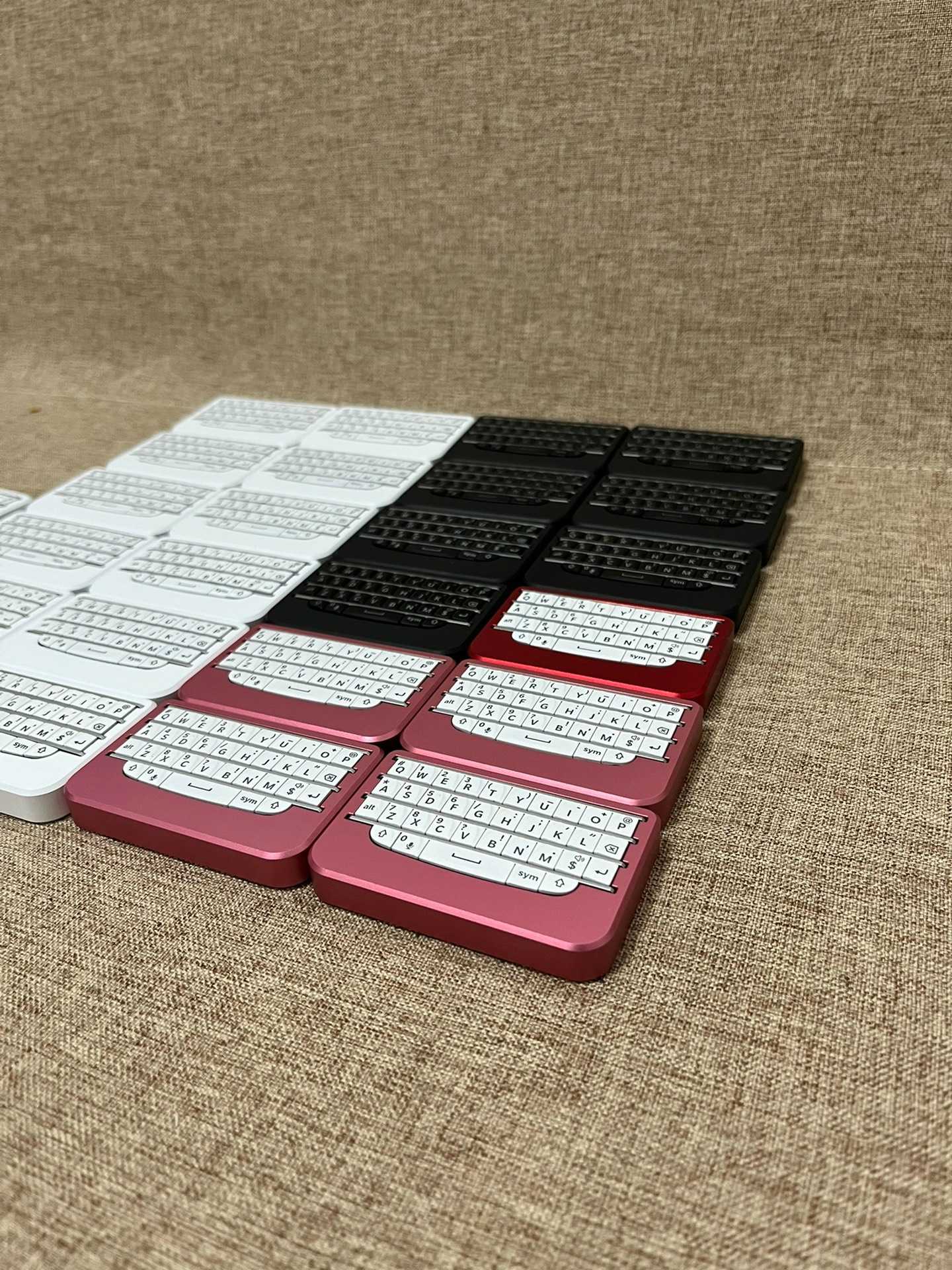
BBQ10KBD Compact phone-first thumb typing View BBQ10KBD
BBQ20KBD Backlit, dual-mode, multi-device productivity View BBQ20KBD
BBP9981KBD Lite Premium keyboard-only P9981 style View Lite
BBP9981KBD Pro Premium keyboard plus touchpad control View Pro

How to avoid a bad purchase

Do not buy only from nostalgia, price, or a vague accessory description. Check the actual model page, read the setup guide, and compare the device workflow. A buyer who only needs compact notes may not need the Pro model. A buyer who works across devices may regret choosing the smallest model only because it is simple.

Best recommendation

Most buyers should compare BBQ20KBD first because it balances layout, backlight, USB-C, and multi-device use. Choose BBQ10KBD for smallest carry. Choose P9981 models for premium feel or pointer control.

FAQ

Where should I start?

Start with the BBKeyboard buyer guide, then compare the shop pages.

Should I choose by price?

Price matters, but the better first filter is workflow: compact typing, productivity, premium shell, or pointer control.

Related reading: setup guide, troubleshooting guide, hardware guide, BBKeyboard explainer. Compare current models in the BBKeyboard shop.

Purchase checklist

For where to buy authentic bb keyboard accessories online, the safest path is to compare current product pages and support materials rather than chasing generic accessory advice. A good purchase decision should answer device fit, layout, connection, support, price, and model purpose.

  • Choose the primary device: phone, tablet, laptop, or several devices.
  • Decide whether you need Bluetooth only or USB-C fallback.
  • Choose compact Q10 style, fuller Q20 style, or premium P9981 style.
  • Check whether pointer control matters.
  • Read the setup and troubleshooting guides before buying for work.

Model decision guide

Use the model choice to make this article actionable. BBQ10KBD is the compact phone-first option. BBQ20KBD is the safest all-round option because it fits productivity, backlight, USB-C fallback, and multi-device use. BBP9981KBD Lite is the premium keyboard-only P9981-style option. BBP9981KBD Pro is the premium keyboard plus pointer-control option.

Where to buy safely

Start from the official BBKeyboard shop and product pages so you can compare current model details. Use the buyer guide for recommendations, and avoid making the decision only from price, nostalgia, or a vague accessory listing.

Final recommendation

Most buyers should compare BBQ20KBD first because it is the strongest all-round option. Choose BBQ10KBD if compact carry matters most. Choose P9981 models if premium feel or pointer behavior is the reason you are buying.

Practical test plan

Use this article as a decision and testing page, not only as background reading. Before buying or changing a setup, write down the device you use most, the app where the keyboard matters, the connection path you expect to use, and the specific action that must work. For many BBKeyboard buyers, the important details are ordinary: can I pair it, can I type accurately, can I recover from mistakes, and can I keep using the keyboard after changing phones?

A good mini keyboard should make the daily routine easier. If the workflow is phone notes, portability matters most. If the workflow is tablet email or travel work, backlight, USB-C fallback, and multi-device behavior matter more. If the workflow is desk control, pointer features and premium materials may matter. The article topic should always lead back to that practical model choice.

How to measure success

  • The keyboard works in a plain notes app and in the real app you use daily.
  • The model choice matches the workflow instead of only matching nostalgia.
  • The article gives a clear next step: setup, troubleshooting, buyer comparison, or product page.
  • The reader understands when to choose BBQ10KBD, BBQ20KBD, Lite, or Pro.

When in doubt, start with the buyer guide, confirm compatibility in the setup guide, and compare current products in the shop.

Trust and purchase safety

For buyer-intent topics, the safest advice is to prefer current product pages, clear specifications, and support documentation over generic marketplace claims. Check the model name, connection modes, battery or backlight notes, available colors, return policy, and whether the page links to a setup or troubleshooting guide. A buyer should know what problem the keyboard solves before placing an order.

If the decision still feels unclear, choose by workflow. Compact phone-first use points to BBQ10KBD. Multi-device productivity points to BBQ20KBD. Premium keyboard-only feel points to BBP9981KBD Lite. Premium keyboard plus pointer control points to BBP9981KBD Pro.

Authenticity signals

Authentic buying pages should identify the exact model, show current product details, link to setup or support information, and make the purchase path clear. Be careful with listings that use generic BlackBerry keyboard language without explaining whether the item is a phone part, a case, a standalone Bluetooth keyboard, or a modern remappable mini keyboard.

For the current BBKeyboard lineup, start from the official shop page. Compare BBQ10KBD for compact typing, BBQ20KBD for productivity, BBP9981KBD Lite for premium keyboard-only use, and BBP9981KBD Pro for keyboard plus pointer control.

Red flags

  • No exact model name or unclear product photos.
  • Claims that mix old phone replacement parts with modern Bluetooth keyboards.
  • No setup, support, or compatibility information.
  • No clear return path if the device does not fit your workflow.

Before ordering

Open the product page and check the exact model name one last time. Then compare the keyboard against the task that made you search in the first place: mobile writing, tablet email, travel work, desk control, or collector-style premium typing. That final check prevents a common mistake: buying an authentic product that is still the wrong product for the job.

If you need a simple route, use the model comparison first, confirm setup details, then return to the shop page when the workflow is clear.

Leave a Reply